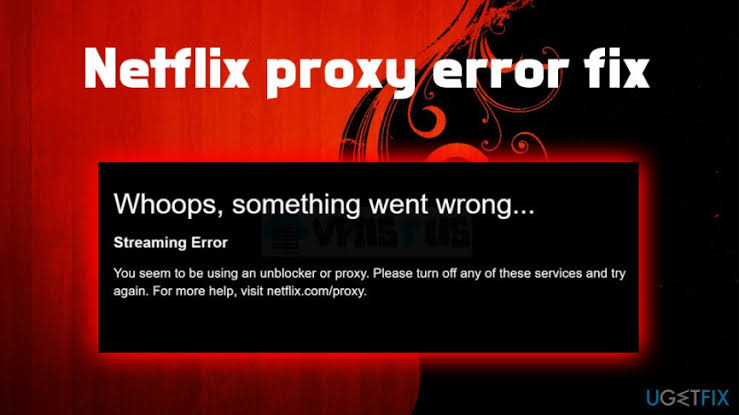
Have you ever wanted to access Netflix shows that are locked to other regions or simply want an extra layer of privacy while streaming? By using an anonymous proxy, you can reroute your traffic through a remote server, effectively masking your IP address and giving you the feeling of browsing from a different country. This powerful technique opens up a world of content, letting you explore international libraries with just a few clicks.
Unlike complicated setups that require multiple steps or specialized software, setting up a proxy can be surprisingly straightforward. You’ll learn how proxies work in harmony with Netflix’s streaming platform and how to pick the right service to avoid unexpected hiccups. Ready to dive in? Let’s unravel the mystery behind proxies and elevate your binge-watching game.
Understanding How Proxies Interact with Netflix
A proxy server acts like a middleman between your device and Netflix’s servers. When you send a request to watch a show, the proxy grabs that request, forwards it to Netflix, and then returns the stream to you. Think of it as sending a letter to a friend with the proxy handling the postage; your location stays hidden, and Netflix responds to the proxy, not directly to you.
However, not all proxies are created equal. Some are optimized for speed, while others focus on security. Netflix employs measures to detect suspicious traffic patterns, so a cookie-cutter free proxy might struggle with consistent connections. Understanding these nuances will help you choose a solution that balances performance and reliability for smooth playback.
Selecting the Ideal Proxy Service for Netflix Streaming
Choosing the right proxy provider can feel like selecting an ocean liner to cross the digital sea – you want something fast, secure, and packed with lifeboats. The right choice not only affects speed but also influences the consistency of your viewing sessions. Here are key features to look for:
● Extensive server network across multiple countries
● High bandwidth with no data caps
● Dedicated IP addresses for stable connections
● Strong encryption protocols to protect your data
● Responsive customer support available 24/7
While free proxies might tempt you with zero cost, they often throttle speeds or pop up intrusive ads. Investing in a reputable paid service ensures you get reliable throughput and minimal buffering. Plus, many premium providers rotate IP addresses automatically, reducing the risk of detection and interruptions during peak streaming hours. Remember, the smoother the stream, the more immersive your Netflix marathon will be.
Configuring Your Device to Use a Proxy with Netflix
Configuring a proxy varies depending on your device, but the core steps remain similar: choose a server, input its details, and verify the connection. It’s almost like programming a GPS – once you tell it exactly where to go, it takes you straight there. Below is a quick reference table to guide you through common platforms:

After filling in the proxy fields, always test your setup by visiting a site that reveals your IP address. If the displayed location matches your chosen server, you’re good to go. Next, launch Netflix, clear any cached data, and you should see content tailored to your proxy’s geolocation.
If something still seems off, double-check the server address for typos – missing a number is as damaging as a rogue semicolon in a line of code.
Troubleshooting Common Proxy Challenges for Smooth Streaming
Even the most robust proxy can hit a snag. If your stream pauses or Netflix throws an error, first check your internet speed without the proxy. If the connection is solid, clear your browser cache or app data to remove lingering cookies that might give away your true IP.
Authentication failures are another common hurdle. Ensure your username and password are entered perfectly, including uppercase letters and special characters. If you still encounter issues, switch servers or reach out to support for detailed logs – they’re often eager to help resolve hiccups and get you back to uninterrupted viewing.
Best Practices for Reliable Netflix Streaming via Proxy
Maintain a list of trusted proxy servers and rotate them periodically to avoid detection. Keep your proxy credentials stored in a secure password manager rather than jotting them down in plain text. This reduces the risk of accidental exposure and strengthens your overall security posture.
Aim to select a server geographically close to your location to minimize latency and buffering. Also, remember to update your proxy client or router firmware regularly – developers roll out performance enhancements and security patches that can directly improve your streaming experience.
With these strategies in place, your Netflix adventures will feel like binge-watching in first-class comfort – ready for takeoff whenever you are. Embrace the freedom to explore new shows, international hits, and hidden gems that were once out of reach.